
Setting up a new computer is an exciting yet potentially overwhelming task. Whether you’re building a high-performance gaming PC, an efficient office setup, or a general-purpose home system, getting it right from the start is critical. For those in Adelaide, knowing the resources available locally can make the process smoother, more cost-effective, and ultimately more enjoyable.
This detailed guide will walk you through everything you need to know about setting up your new computer in Adelaide, from choosing the right components to optimizing performance. Let’s get started.
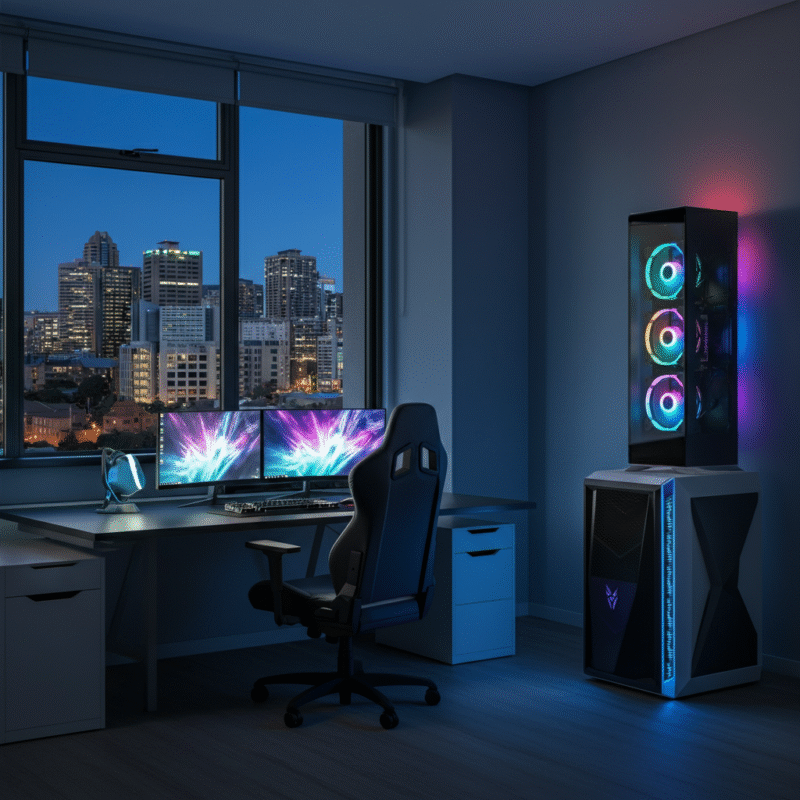
Planning Your Computer Setup
Before jumping into assembly, step back and assess your needs. This preparation ensures that your computer setup perfectly matches your intended use, whether you’re aiming for a robust gaming PC setup or a reliable office PC setup.
Identify Your Purpose
What will your computer be used for? A gaming PC will require powerful GPUs and sufficient cooling, while an office PC may prioritize multitasking capabilities and ergonomic desk setup. Examples include:
- Gaming PC Setup: High-end graphics card, cooling systems, and plenty of RAM for seamless gameplay.
- Office Setup: Efficient processors, generous SSD storage, and dual monitors for productivity.
Budget Considerations
Create a solid budget to guide your purchase decisions. Allocate funds to areas where performance matters most:
- Gamers should prioritize their GPU and monitor quality.
- Office users may benefit from ergonomic extras like a high-quality keyboard and chair.
Choosing the Right Components
Once your needs and budget are clear, it’s time to choose components:
- Processor (CPU): The brain of the computer. AMD Ryzen and Intel Core are popular choices.
- Graphics Card (GPU): Crucial for gamers. NVIDIA GeForce and AMD Radeon are top contenders.
- Memory (RAM): Aim for at least 16GB for gaming; 8GB suffices for office use.
- Storage: Opt for an SSD for faster speeds. Combine with an HDD for additional storage if needed.
- Monitors: Resolution and refresh rate matter for both work and gaming.
Pro tip for Adelaide residents: Stores like MWave and Computer Alliance offer excellent component selection and customer service.
Hardware Setup
Once you’ve sourced your components, it’s time to bring everything together. Setting up hardware may seem difficult, but following a structured, step-by-step approach simplifies the process.
Step-by-Step Hardware Assembly
- Unpack Components: Take inventory of your CPU, motherboard, GPU, RAM, storage, PSU, case, and peripherals.
- Prepare the Case: Open the case and ensure it’s clean. Attach standoffs if required.
- Install the Motherboard: Secure the motherboard within the case, ensuring all connections align with the cutouts.
- Attach the CPU and Cooler: Fit the processor onto the motherboard and secure the cooling unit.
- Insert RAM and Storage: Add the RAM to designated slots. Mount SSD or HDD into the storage bays.
- Install the GPU: Slot your graphics card into the PCI-E slot, securing it with screws.
- Connect the PSU: Power the motherboard, GPU, and storage with the appropriate connectors.
- Cable Management: Organize the cables neatly to ensure proper airflow and ease of future upgrades.
Ensure all connections are firm. Refer to the manuals of each component for detailed installation tips.
If this feels overwhelming, Adelaide has several computer repair and installation services that can assist. Local businesses like Compute@Home can provide in-home setup help.
Software Installation
With your hardware set up, it’s time to get your computer operational by installing essential software.
Install the Operating System (OS)
- Insert a bootable USB or DVD with your chosen OS (e.g., Windows, macOS, Linux).
- Follow the on-screen prompts to install.
- Activate your OS using the provided product key.
Download Essential Applications
Once the OS is set up, install the software you’ll need:
- For Gamers: Steam, Epic Games Store, Discord
- For Office Work: Microsoft Office, Google Workspace, Slack
- Security: Antivirus software like Norton or Avast to protect your system
Be sure to download the latest drivers for your components (GPU, motherboard, etc.) to ensure compatibility and peak performance.
Update Everything
Run all system and software updates. This ensures your computer’s software is up-to-date and secure.
Optimizing Performance and Security
Optimizing your computer setup can drastically improve performance and longevity. Here’s how to get the most out of your new system and ensure it stays secure.
Performance Tweaks
- Custom Settings: Gamers can tweak GPU settings in NVIDIA or AMD control panels for better FPS.
- RAM Utilization: Disable unnecessary startup programs to improve speed.
- Cooling System Efficiency: Monitor temperatures with tools like HWMonitor, especially for gaming PCs.
Security Measures
- Enable Firewall: Protect your system from unauthorized access.
- Strong Passwords: Use unique, complex passwords for system and account access.
- Data Backups: Use cloud services or external drives for data backups.
Ergonomic Enhancements
For office setups, invest in an ergonomic chair, adjustable desk, and screen positioning to ensure comfort during long hours.
Adelaide residents can explore stores like Officeworks for ergonomic solutions and accessories.
Maintaining Your Computer
A properly maintained computer will serve you well for years. Follow these tips to keep your system running at peak performance.
Regular Cleaning
- Dust buildup reduces efficiency. Clean the interior every six months with a can of compressed air.
- Keep cooling systems free of dust to prevent overheating.
Software Maintenance
- Update software regularly to stay secure.
- Run antivirus scans to detect and remove threats.
Monitor Performance Over Time
Tools like Task Manager (Windows) or Activity Monitor (macOS) can help you evaluate how your system is performing. If performance degradation occurs, check for hardware or software bottlenecks.
Need repairs or upgrades? Trustworthy services like Adelaide Computer Superstore can help.
Local Resources for Computer Setup in Adelaide
Residents of Adelaide have access to several resources that make setting up and maintaining your new computer easier.
Where to Buy Components
- Allneeds Computers: Great for hardware and budget-friendly options.
- MSY Technology: Known for a wide selection and competitive pricing.
Professional Services
- Compute@Home: On-site setup and repair services.
- Adelaide Computer Superstore: Expert advice and component replacement.
Community Groups
Join Adelaide-specific tech forums and community groups to exchange tips, buy second-hand parts, or get recommendations from fellow enthusiasts.
Why a Well Set Up Computer Makes a Difference
Setting up a new computer correctly is essential for performance, longevity, and your overall experience. By planning, assembling hardware with care, and optimizing for security and speed, you’ll ensure your gaming or office setup operates seamlessly.
If you’re in Adelaide, take advantage of local resources to make your computer setup process even easier. Whether you’re building a gaming powerhouse or an efficient office workstation, a carefully assembled system will elevate your productivity and enjoyment.
Need additional help? Explore Adelaide’s tech stores or hire a local service for professional assistance. The perfect computer setup is just a few steps away.
Boost your tech game today!
