

Introduction
Computer clean and repair is one of the most overlooked yet critical parts of owning a PC or laptop. In my experience working with business and home systems at geeks2all, most performance issues do not start with software failure. They begin with dust buildup, neglected maintenance, and small hardware faults that grow over time.
Regular PC cleaning and repair improve speed, extends hardware life, and prevents unexpected downtime. Whether it is a laptop that overheats or a desktop that suddenly slows down, proper computer maintenance service makes a measurable difference in performance and reliability.
What Computer Clean and Repair Really Means
Computer clean and repair is not just wiping the screen or reinstalling software. It is a structured maintenance process that addresses both physical and functional issues inside the system.
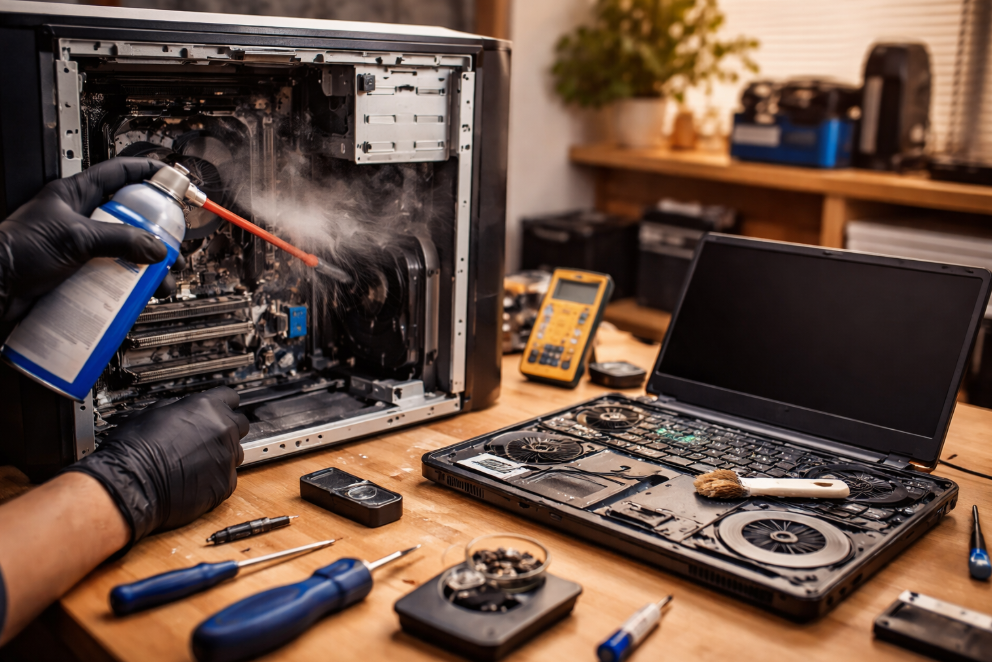
From a technical standpoint, this includes internal dust removal, thermal management, hardware inspection, and software optimization. For both laptop cleaning and repair and desktop computer repair, the goal is to restore stable performance while preventing future failures.
At geeks2all, we treat cleaning and repair as preventive engineering, not a last-minute fix.
Common Problems Caused by Poor Maintenance
Most systems that come in for repair show the same pattern of neglect. These issues are avoidable with routine service.
- Overheating caused by dust-clogged fans and vents
- Sudden shutdowns due to thermal protection triggers
- Sluggish performance from background errors and system clutter
- Loud fan noise indicating airflow blockage
- Hardware degradation from prolonged heat exposure
According to Intel hardware reliability data, sustained internal temperatures above recommended thresholds can reduce component lifespan by up to 40 percent. Regular computer maintenance service directly addresses this risk.
PC Cleaning and Repair Process at geeks2all
Our approach is based on real-world diagnostics, not guesswork. Every system follows a structured workflow to ensure consistent results.
- Internal dust and debris removal using anti-static tools
- Fan, heat sink, and airflow channel cleaning
- Thermal paste inspection and replacement when required
- Hardware health checks for drives, memory, and power components
- Software cleanup and system performance validation
This process applies to both laptop cleaning and repair and desktop computer repair, with adjustments based on system design and usage patterns.
Laptop vs Desktop Cleaning and Repair Comparison
Different systems require different maintenance strategies. The table below highlights key differences we see in the field.
| Maintenance Area | Laptop Cleaning and Repair | Desktop Computer Repair |
|---|---|---|
| Heat buildup risk | High due to compact design | Moderate with better airflow |
| Dust accumulation | Concentrated near fan and vents | Spread across case and fans |
| Service complexity | High, requires careful disassembly | Lower, modular components |
| Maintenance frequency | Every 6 to 9 months | Every 9 to 12 months |
| Performance impact | Immediate and noticeable | Gradual but significant |
This comparison helps clients understand why tailored computer clean and repair plans matter.
Performance Gains After Professional Cleaning
Based on internal benchmarks at geeks2all, systems that undergo full PC cleaning and repair show measurable improvements.
- Average temperature reduction of 8 to 15 degrees Celsius
- Faster boot times by 20 to 35 percent
- Reduced fan noise and thermal throttling
- Improved system stability during heavy workloads
These gains are not theoretical. They come from direct before-and-after testing across hundreds of serviced devices.
Expert Insight From the Field
One recurring observation is that users often replace hardware too early. In many cases, a slow or unstable system only needs proper computer clean and repair, not a full upgrade.
I have personally seen laptops labeled as “dead” return to stable operation after internal cleaning and thermal restoration. Preventive maintenance consistently delivers better value than reactive repair.
Why Regular Computer Maintenance Service Matters
Routine servicing is not just about fixing problems. It is about protecting your investment.
A study published by TechRepublic highlights that proactive maintenance can extend device lifespan by two to three years in business environments. That translates into lower replacement costs and fewer productivity losses.
For deeper insight into thermal management and hardware longevity, resources from PCMag and How-To Geek provide practical, research-backed explanations.
Choosing the Right PC Cleaning and Repair Partner
Not all services follow proper standards. When selecting a provider, look for these indicators.
- Use of anti-static tools and safe cleaning methods
- Clear explanation of findings and performed work
- Experience with both laptops and desktops
- Focus on maintenance, not unnecessary part replacement
At geeks2all, our computer maintenance service is designed around transparency, real diagnostics, and long-term system health.
Final Thoughts
Computer clean and repair is not optional if you want consistent performance and reliability. From PC cleaning and repair to laptop cleaning and repair and full desktop computer repair, routine maintenance delivers measurable benefits.
If you want to understand more about system optimization, performance tuning, or hardware lifespan, explore our related guides on preventive computer maintenance and performance optimization. Keeping your system clean today prevents costly repairs tomorrow.