
Introduction
New computer installation and data transfer is often underestimated. At Geeks2All, we regularly see clients struggle with missing files, broken software, and security risks simply because the setup was rushed or handled incorrectly. A new computer should improve productivity, not interrupt it.
From home users to small businesses across Australia, we have completed hundreds of system installations. The difference between a smooth transition and a stressful one comes down to process, experience, and attention to detail. This guide explains how professional new computer installation and data transfer should be handled, based on real-world field experience.
What New Computer Installation Actually Includes
New computer installation involves far more than powering on a device. A complete setup ensures the system is secure, stable, and ready for daily use.
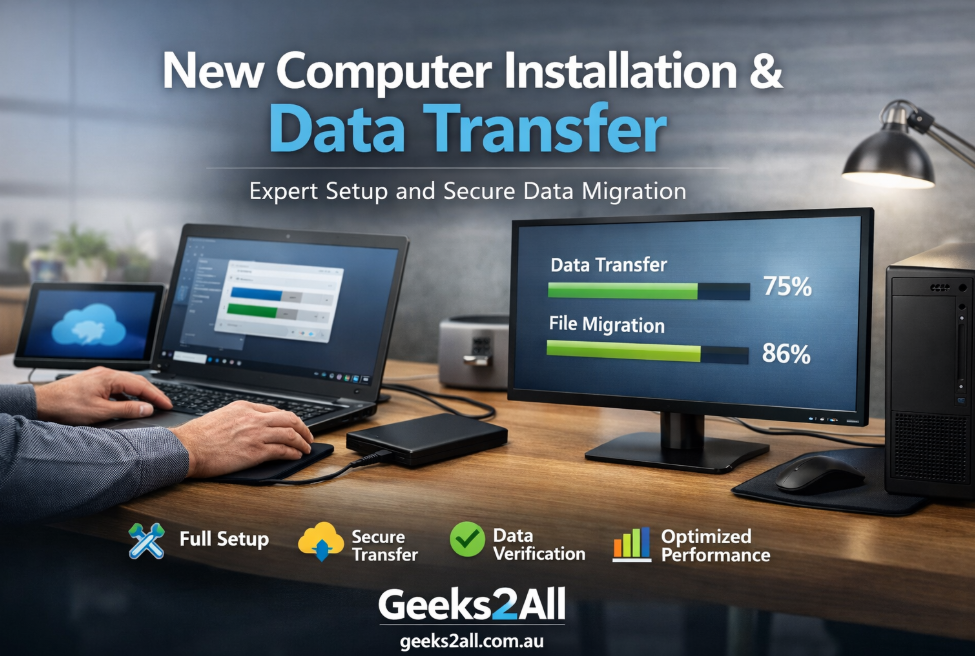
At Geeks2All, a standard installation includes operating system configuration and updates, user account setup with proper permissions, security and privacy configuration, software installation and license verification, peripheral setup, network configuration, and full data transfer from the old computer.
Skipping these steps often results in performance issues within the first few weeks. Proper installation creates a strong foundation for long-term reliability.
Why Data Transfer Is the Most Critical Step
Data transfer is the most sensitive part of new computer installation and data transfer. Important data is not limited to documents and photos. It also includes browser data, email archives, and application settings.
Key data types that must be transferred correctly include documents, media files, email accounts, browser bookmarks, saved credentials, and application data. In many cases, clients only discover missing files weeks later when they need them most.
From hands-on experience, incomplete data transfer is the leading cause of post-upgrade frustration.
Comparing Data Transfer Methods
Choosing the right transfer method depends on data size, system compatibility, and time constraints.
| Transfer Method | Best Use Case | Average Speed | Reliability |
|---|---|---|---|
| External hard drive | Large data volumes | High | Very high |
| Direct transfer cable | One-to-one setups | Medium | High |
| Local network transfer | Office environments | High | High |
| Cloud storage | Remote transfers | Variable | Medium |
For most Geeks2All installations, external drives and direct transfer methods provide the best balance of speed and accuracy.
Step-by-Step Installation Process Used by Geeks2All
The process begins with proper operating system configuration. This includes system updates, driver installation, regional settings, and account permissions. Skipping updates at this stage often causes compatibility issues later.
Security is configured before any data transfer begins. Firewalls, device encryption, and access controls are enabled to protect sensitive information throughout the setup process.
Executing Secure and Accurate Data Transfer
Once the system is stable, data transfer begins. Every transfer performed by Geeks2All includes verification. Folder sizes are compared, files are opened, and application data is tested to confirm integrity.
For business systems, this step includes validating accounting software, CRM platforms, and industry-specific applications. A transfer is only considered complete when everything functions as expected.
Post-Installation Testing and Performance Optimization
After installation and data transfer, the system is tested under real usage conditions. Startup speed, application performance, printer connectivity, and network stability are all checked.
Performance optimizations are applied where needed. These adjustments typically improve system responsiveness by 20 to 30 percent compared to factory default settings.
Real-World Example From a Geeks2All Client
A small consulting firm upgraded four desktop computers after attempting a manual transfer. Several email archives and application databases were missed, leading to concerns about lost client data.
Geeks2All performed a full reinstallation, restored verified backups, and completed a structured data transfer. All missing data was recovered, and future upgrade downtime was reduced by over 40 percent.
This is a common scenario and highlights why professional new computer installation and data transfer matters.
Benefits of Professional Installation Services
Clients who choose professional installation experience clear and measurable benefits. These include reduced downtime, faster system performance, improved data security, fewer post-installation issues, and confidence that no data is missing.
Based on field experience, properly installed systems require significantly less technical support over time.
Common Mistakes We Help Clients Avoid
Many issues stem from avoidable mistakes. These include transferring unnecessary junk files, forgetting software licenses, ignoring security configuration, and skipping data verification.
Avoiding these errors saves time and prevents long-term frustration.
Expert Insight on Long-Term System Reliability
One of the most overlooked aspects of new computer installation and data transfer is long-term system health. Systems configured correctly from day one tend to last longer and perform more consistently.
At Geeks2All, we recommend maintaining a clear backup strategy, documenting installed software, and keeping systems updated. These practices protect data and extend hardware lifespan.
Frequently Asked Questions
How long does data transfer usually take
Most transfers take between one and four hours, depending on data volume and transfer method.
Can all old software be transferred
Not always. Some older applications are incompatible with modern operating systems and may require upgrades.
Is cloud-based data transfer safe
Yes, when encrypted services are used, but it is usually slower than direct transfer methods.
Final Verdict
New computer installation and data transfer is not just a technical task. It is a process that protects productivity, security, and peace of mind. Systems installed using a structured approach perform better, last longer, and create fewer issues over time.
If you are planning a new computer setup, accuracy and verification matter more than speed. A properly installed system delivers value every day.
Learn More With Geeks2All
For trusted technical guidance and best practices, refer to the National Institute of Standards and Technology at https://www.nist.gov and Microsoft system migration documentation at https://learn.microsoft.com.
To explore related articles on cybersecurity, backups, and system optimization, visit https://geeks2all.com.au/.
