
In a digital environment, data serves as the foundation for everything—from business activities and creative endeavors to personal recollections and papers. When a hard drive crashes, anxiety usually ensues. However, with the appropriate method, Hard Drive Data Recovery is frequently achievable. Regardless of whether you’re facing accidental deletion, hardware malfunction, or file corruption, grasping the recovery procedure is crucial for retrieving your data securely
What is Hard Drive Data Recovery?
Hard Drive Data Recovery involves recovering lost, deleted, inaccessible, or corrupted information from both internal and external storage devices. These gadgets might consist of:
- Conventional hard disk drives (HDDs)
- Flash storage devices (SSDs)
- USB drives that are external
- RAID configurations and NAS (network-attached storage)
In contrast to other types of data recovery, hard drive recovery typically necessitates the use of both software and hardware tools, based on the reason for data loss
Common Causes of Data Loss
Grasping the reasons behind data loss can aid you in preventing future occurrences and selecting the most effective recovery approach. Below are the primary reasons:
1. Accidental Deletion or Formatting
Deleted files or formatted drives can frequently be restored if new data has not replaced the previous data
2. File System Corruption
Problems such as file system faults, partition corruption, or drive mismanagement can render files unreadable or hidden from the operating system.
3. Hardware Failure
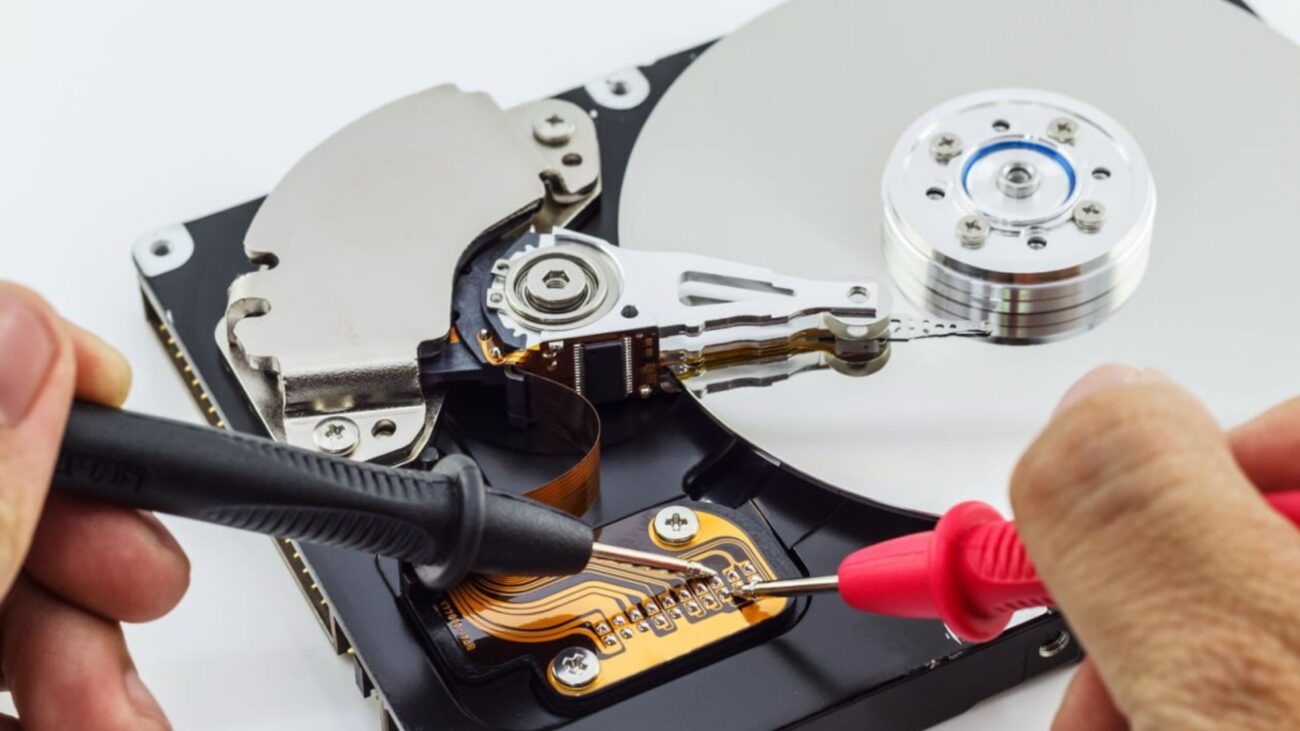
Hard drives, particularly HDDs, are mechanical devices that can fail as time goes on. Crashes of the read/write head, failures of the spindle motor, or damage to the PCB can render data unreachable.
4. Power Surges or Improper Shutdown
Sudden power failure during read/write tasks may lead to file corruption or harm the drive.
5. Virus or Malware Attacks
Ransomware and various forms of malware can erase, encrypt, or render files unusable.
6. Physical Damage
Drives that fall, come into contact with water, or experience high temperatures may incur physical damage and need cleanroom assistance for restoration.
Indicators That Your Hard Drive is Malfunctioning
Identifying the initial signs of a malfunctioning hard drive can avert irreversible data loss. Be alert for:
- Sounds of clicking or grinding (for HDDs)
- Unexpected freezes, crashes, or sluggish performance
- Vanishing files or directories
- Regular file damage or error alerts
- The drive failing to appear or becoming inactive
If you observe any of these warning signals, cease using the drive at once to enhance the likelihood of recovery
Types of Hard Drive Recovery
Software-Based Logical Recovery
When the drive is operational and the problem is due to data corruption, file removal, or formatting, software tools can assist in recovering the data. These tools examine the drive for files that can be recovered without modifying current data
Recovery software includes tools like:
- Recuva
- EaseUS Data Recovery Tool
- Stellar Data Retrieval
- R-Studio
These applications are helpful for basic recovery jobs and are typically easy to use, but they are not advised for drives that have physical damage.
Physical Recovery (Hardware-Based)
If the drive has experienced mechanical or electrical issues, a more sophisticated recovery technique is required. This generally necessitates:
- Specialized restoration tools
- Controlled environments to avoid contamination
- Skill in dismantling and managing delicate parts
Trying to repair a physically damaged drive by yourself can decrease or negate the likelihood of successful data recovery. Always seek advice from a professional service in these situations.
Stages in the Hard Drive Data Recovery Procedure
1. Initial Diagnosis
A technician or program will evaluate the state of the drive to identify the reason for data loss.
2. Drive Imaging
Experts produce a step-by-step replica of the drive to avoid additional harm to the original information. Recovery is made from the image rather than the actual drive.
3.File Reconstruction
Missing data is restored through software that detects file signatures and metadata, reconstructing files and folders to their initial format.
4.Data Extraction
After recovery, the files are transferred to a secure storage device and given back to the user.
5.Validation and Reporting
A full report is usually provided, showing what files were recovered and the condition of the data.
SSD vs. HDD Data Recovery
Solid-state drives (SSDs) vary from conventional hard disk drives (HDDs) in their methods of data storage and retrieval. They lack any movable components and are quicker and more resilient. Nonetheless, SSDs utilize a function known as TRIM, which irreversibly removes files when deleted—rendering data recovery more difficult.
Nevertheless, it is possible to recover from SSDs, particularly if TRIM is turned off or if the drive has faced logical or firmware issues.
Best Practices to Prevent Data Loss
Although data recovery services can be incredibly effective, it’s always preferable to prevent issues before they arise. Here are several wise practices to adopt:
Backup Regularly
Use both cloud and external backup methods. Follow the 3-2-1 backup rule:
- Three complete copies of your information.
- Two distinct types of storage media
- 1 copy saved at a remote location
Protect Against Power Surges
Utilize a surge protector or uninterruptible power supply (UPS) to avert damage caused by power issues.
Use Antivirus Software
Ensure your system is safeguarded against viruses, ransomware, and other harmful threats that may jeopardize your data.
Keep Devices Clean and Cool
Keep your hard drives away from heat, moisture, and physical damage. Excessive heat and vibration are major contributors to early failure.
Eject Drives Properly
Always disconnect external hard drives correctly to prevent file system issues or unexpected data loss.
When to Request Expert Data Recovery
If your drive produces odd sounds, isn’t being detected, or is physically harmed, refrain from trying DIY repairs. An incorrect action could lead to permanent harm. Rather, reach out to a trustworthy data recovery expert who can:
- Identify the issue correctly
- Utilize cleanroom settings for delicate repairs.
- Enhance the likelihood of successful recovery.
Professional services are beneficial in situations that include encrypted drives, intricate RAID setups, or drives affected by firmware issues.
Hard drive data recovery is a crucial solution when vital files are lost due to physical damage, logical errors, or human error. While DIY tools are great for minor data loss situations, complex cases require the skill and precision of a professional recovery service.
The most effective protection against data loss is a robust approach to backup, system maintenance, and recognition of early warning signs of failure. If your information is crucial, respond quickly, refrain from interference, and allow the specialists to manage it.
Regardless of whether it’s a personal laptop, external storage, or business server, rely on established techniques to retrieve what is most important.
